Building Material Databases and Product Catalogs: Which Resource Should Procurement Use?
A construction buyer searching for a product such as an acoustic ceiling, waterproofing system or fire-rated door can quickly find dozens of websites.
Some are manufacturer catalogs.
Some are multi-brand building product databases.
Resource-selection rule: start with the procurement output you need. Product discovery, current product-detail confirmation, technical comparison, BIM / CAD retrieval and certification verification belong to different resource types.
Some specialize in specifications.
Others mainly provide BIM or CAD files.
The problem is not always finding a website.
It is knowing:
Which resource should I use for the procurement task I am trying to complete?
There is no single building material database that is best for every stage of procurement.
A more efficient approach is:
Different Procurement Task → Different Product Resource
Use multi-manufacturer databases to discover the market. Use manufacturer sources to confirm current product details. Use specification libraries for technical research. Use BIM libraries when digital product files are required. Move to certification or compliance databases when the task changes from product discovery to evidence verification.
Why One Building Material Database Is Not Enough
Suppose the project requires an:
Acoustic Ceiling System
That search may actually represent several different procurement tasks.
You may need to:
discover manufacturers;
find the exact specification of a known product;
compare several candidate products;
download a Revit or CAD file;
find an alternative to the specified brand;
verify supporting certification.
Those tasks require different information.
Platforms such as ARCAT combine manufacturer and building-product research with specifications, CAD drawings and BIM content, while NBS Source brings together manufacturer product information and BIM resources. BIMobject focuses more heavily on manufacturer-specific digital product content and BIM files.
The question should therefore not be:
Which website has the biggest catalog?
It should be:
What output do I need from this search?
Start With the Procurement Task, Not the Website
Before opening another database, define the output.
Manufacturer LonglistProduct Candidate ListTechnical Data PackageBIM / CAD FileAlternative Product ListCertification Record
Do you need a:
Manufacturer Longlist?
Product Candidate List?
Technical Data Package?
BIM / CAD File?
Alternative Product List?
Certification Record?
Once the output is clear, the appropriate resource type becomes much easier to choose.
Task 1: I Need to Discover Manufacturers and Product Options
Procurement Question
Who makes this type of building product, and what alternatives exist?
Product discovery ≠ supplier qualificationA manufacturer appearing in a product database only creates a candidate list. Commercial capability, supplier reliability and qualification still need separate checks.
Structured building-product databases are useful when procurement is still discovering manufacturers, product families and technical content. Final product details and compliance evidence should still be confirmed through the appropriate current source.
The best starting point is usually a:
Multi-Manufacturer Building Product Database
These resources are useful when procurement does not yet know which manufacturers should be investigated.
ARCAT, for example, organizes building products and manufacturers by construction categories and provides associated specifications, CAD and BIM content. Its product-category pages allow users to browse companies producing a particular type of construction product.
NBS Source similarly organizes manufacturer and product information alongside related BIM content.
A useful output might look like:
Manufacturer
Product Category
Candidate Product
Next Action
Manufacturer A
Acoustic Ceiling
System X
Review technical data
Manufacturer B
Acoustic Ceiling
System Y
Review technical data
Manufacturer C
Acoustic Ceiling
System Z
Check market availability
The goal is not to approve a supplier.
It is to create a:
Candidate Manufacturer List
That list can then move into supplier sourcing and qualification.
Product discovery is not supplier qualification.
A company appearing in a product database does not by itself establish commercial capability, project suitability or supplier reliability.
Task 2: I Know the Manufacturer and Need Exact Product Information
Now assume procurement already knows:
Building Product DatabaseCandidate ProductManufacturer Product Page / CatalogConfirm Current Product Information
Manufacturer A — Product X
The task has changed.
You may now need:
dimensions;
material composition;
available finishes;
product sizes;
performance values;
installation literature;
technical data sheets;
current product variants.
At this stage, the manufacturer's current product page or technical catalog normally becomes more important than a general multi-brand database.
A third-party product platform may have helped procurement discover the product.
But the next workflow should usually be:
Building Product Database
↓
Candidate Product Identified
↓
Manufacturer Product Page / Technical Catalog
↓
Confirm Current Product Information
The principle is simple:
Use databases for discovery. Use manufacturer sources for current product-detail confirmation.
Manufacturer websites have the opposite limitation, however.
They are excellent when you already know the brand.
They are much less useful when the procurement question is:
What other manufacturers make a similar system?
That is why procurement often needs both resource types.
Task 3: I Need Specifications for Technical Comparison
At some point, product research shifts from:
Convert product data into project comparison fields and continue with the Technical Bid Evaluation Template when several candidate products must be compared against the specification.
What products exist?
to:
Which product actually comes closest to the project specification?
Now the useful resources become:
Specification Libraries and Technical Document Libraries
Useful documents may include:
Technical Data Sheets
Guide Specifications
Performance Data
Installation Requirements
Product Drawings
Certificates and Declarations
Manufacturer Specifications
ARCAT provides manufacturer-specific CSI-format specifications and technical product content, including performance data and product attributes.
NBS Source also combines manufacturer products with technical and BIM-related content that can support product research and specification workflows.
The next step is not simply to collect PDFs.
Convert the information into comparable project fields.
For example:
Project Requirement
Product A
Product B
Material
Required
Match
Thickness
12 mm
12 mm
Fire Rating
Required
Listed
Finish
Required
Available
Installation Type
Required
Match
The database helps procurement find information.
The procurement team still has to determine:
Does this product actually meet the specification?
Task 4: I Need BIM or CAD Files
Sometimes the product has already been identified.
BIM is product information, not product approvalA downloadable Revit, CAD or BIM object does not prove current certification, regulatory compliance, project acceptance or technical equivalence.
The requirement is now:
Where can I get the digital product file?
This is where a:
BIM / CAD Library
becomes the more appropriate resource.
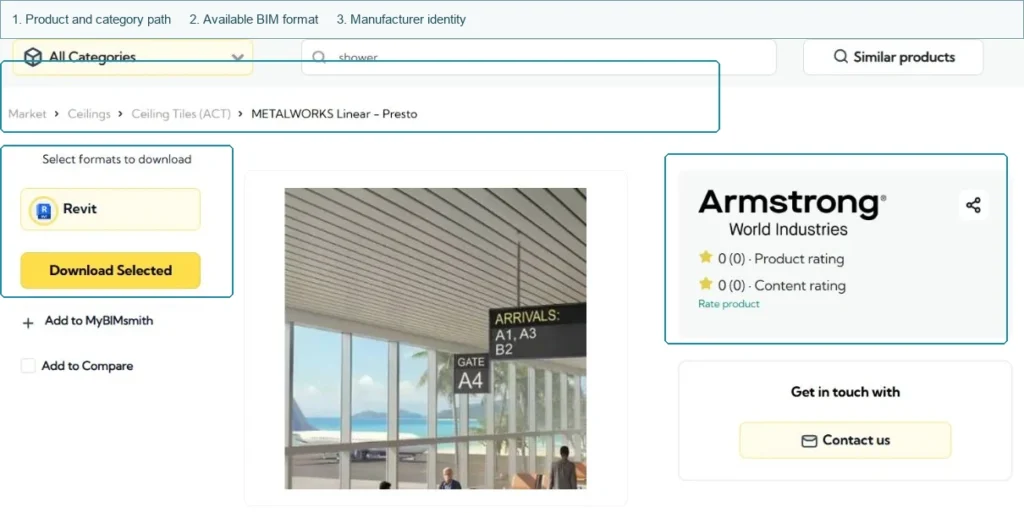
BIMobject provides manufacturer-specific construction products with filters for markets, brands and file formats, including Revit and other BIM data.
NBS Source maintains a BIM Library containing generic and manufacturer BIM objects, while ARCAT also provides Revit, SketchUp and DWG-related BIM content.
Typical uses include:
Revit families;
CAD details;
BIM objects;
design coordination;
digital product information;
submittal support.
But procurement should maintain one important boundary:
BIM is product information, not product approval.
A downloadable BIM object does not by itself prove:
regulatory compliance;
current certification;
project acceptance;
technical equivalence.
Those questions belong in separate technical and compliance workflows.
Task 5: I Need an Alternative to a Specified Product
This is a very common procurement problem.
Similar Category ≠ Technically Equivalent ProductUse multi-manufacturer databases to discover alternatives, then move each candidate through technical comparison, certification review and project approval.
The specification names:
Product A
But procurement later discovers:
an 18-week lead time;
no stock in the project market;
excessive cost;
logistics difficulty;
commercial restrictions.
The task becomes:
Which products should we investigate as possible alternatives?
A multi-manufacturer product database becomes useful again.
Search within the same:
product category;
material type;
application;
system type;
relevant performance category.
The output should be a shortlist, not an approval.
Basis Product
Candidate Alternative
Reason for Shortlisting
Product A
Product B
Same product category
Product A
Product C
Similar published performance
Product A
Product D
Better market availability
The critical boundary is:
Similar Category ≠ Technically Equivalent Product
A database supports:
DISCOVERY
The next workflow is:
Candidate Alternative
↓
Technical Comparison
↓
Certification / Compliance Review
↓
Consultant or Project Approval
A product should not be approved as an equivalent simply because both products appear in the same online category.
Task 6: I Need Certification or Compliance Evidence
Product research sometimes reaches a point where the buyer no longer needs another catalog.
Compliance DatabaseHelps verify evidence about the product.
They need evidence.
For example:
Product Certification
Test Report
EPD
Declaration
Code Evaluation
Regulatory Approval
At that point, move away from the general product database and into the appropriate:
Certification or Compliance Database
The distinction is:
A product catalog tells you about the product. A compliance database helps verify evidence about the product.
This is also why a procurement resource system should not mix every database into one undifferentiated list.
The buyer's task has changed.
The resource should change with it.
Procurement Task × Resource Type Matrix
This is the simplest way to decide where to start.
Procurement Task
Best Starting Resource
What It Helps You Find
Main Limitation
Discover manufacturers
Multi-manufacturer product database
Brands, categories, product families
Does not qualify supplier
Find exact model details
Manufacturer catalog / website
Current product information
Limited to one manufacturer
Compare specifications
Specification / technical library
Performance and technical documents
Still requires project comparison
Find BIM / CAD
BIM library
Revit, CAD and digital product objects
Does not prove compliance
Find alternative products
Multi-brand product database
Candidate substitutes
Does not prove equivalence
Verify certification
Compliance / certification database
Official evidence and status
Not designed for general product discovery
The most efficient procurement workflow usually moves between several resource types rather than trying to complete the entire product-selection process inside one platform.
What Are You Trying to Find?
A simple resource map is:
I need manufacturersBuilding Product Database
I need exact product detailsManufacturer Catalog
I need technical specificationsSpecification / Technical Library
I need Revit or CADBIM / CAD Library
I need alternativesMulti-Manufacturer Database
I need certification evidenceCertification / Compliance Database
I need manufacturers
→ Building Product Database
I know the manufacturer and need product details
→ Manufacturer Catalog
I need technical specifications
→ Specification / Technical Library
I need Revit or CAD files
→ BIM / CAD Library
I need alternative products
→ Multi-Manufacturer Product Database
I need certification evidence
→ Certification / Compliance Database
This is more useful than maintaining one enormous bookmark folder containing hundreds of unrelated construction websites.
Why Manufacturer Sources Still Matter
Third-party construction databases can dramatically reduce product-research time.
They are especially useful for:
discovering manufacturers;
browsing categories;
finding alternative products;
locating technical documents;
finding BIM and CAD content.
ARCAT, NBS Source and BIMobject all demonstrate how structured product platforms can bring manufacturer and technical content together in different ways.
But when procurement reaches a critical technical decision, confirm important information using an appropriate current source.
That may mean checking:
the current manufacturer product page;
the latest technical data sheet;
the current specification;
the relevant official certification database.
The principle is not that third-party databases are unreliable.
It is that:
Different sources serve different stages of the procurement workflow.
Common Resource-Selection Mistakes
Searching Google for Every Product From Scratch
Google is useful for discovery, but structured product databases can be faster when procurement needs to explore an entire category.
Using a Manufacturer Website Too Early
A manufacturer catalog is excellent for deep product research but poor for understanding the wider supplier market.
Treating a BIM Library as a Compliance Database
A digital product object does not establish regulatory compliance.
Treating Category Similarity as Technical Equivalence
Alternative products still need technical comparison.
Using an Old Third-Party Product Page as the Final Technical Source
Confirm critical values against current authoritative product information.
Looking for One Website That Does Everything
Most construction procurement tasks naturally require several different resource types.
Build Procurement Hub organizes these resources by procurement task rather than presenting buyers with another long directory of links.
Useful resource groups include:
Product & Manufacturer Databases
Manufacturer Catalogs
Specification Libraries
BIM / CAD Libraries
Certification & Compliance Databases
Supplier Search Resources
The goal is to help procurement answer three questions quickly:
Where should I search?
Which resource should I use?
When should I move to another source?
Choose the Resource by Procurement Task — Not by Database Size
Use multi-manufacturer databases to discover the market, manufacturer sources to confirm current product details, technical libraries for comparison, BIM / CAD libraries for digital files and official certification resources when the task changes from product research to evidence verification.
What is the best building material database for procurement?
There is no single best database for every procurement task. Multi-manufacturer databases are useful for discovery, manufacturer catalogs are better for detailed product research, specification libraries support technical comparison, and BIM libraries serve digital product workflows.
Should procurement trust product information in third-party databases?
Third-party databases are useful research tools. Critical technical values, current product details and compliance evidence should still be confirmed using appropriate current manufacturer or official sources.
What is the difference between a building product database and a manufacturer catalog?
A building product database typically helps procurement discover products across multiple manufacturers. A manufacturer catalog provides deeper information about one company's own product range.
Can a product database be used to find equivalent materials?
It can help identify potential alternatives, but category similarity does not prove technical equivalence. Candidate products still need specification and compliance comparison before approval.
The core principle is:
Do not search for one building-material database that does everything. Start with the procurement task, use the resource type best suited to that task, and move to the manufacturer or appropriate official source when final technical confirmation is required.