BIM, CAD and Product Data Libraries for Construction Procurement: What to Download and When
A construction product has been shortlisted.
The manufacturer page may contain:
They may all appear under the same Downloads section.
File-selection rule: BIM objects, CAD drawings, technical data, specifications and compliance documents serve different procurement purposes. Download the information required for the next decision, and verify current product or compliance information through the source best suited to that task.
- a Revit family;
- an IFC object;
- several DWG drawings;
- a technical data sheet;
- a product specification;
- an installation manual;
- certificates and test reports.
But they do not serve the same procurement purpose.
A BIM object can help a project team coordinate the product in the model. A CAD detail can reveal an installation interface. A technical data sheet provides product characteristics. A specification helps map the proposed product against project requirements. A certificate or test report supports a specific compliance claim.
The key principle is:
Different File Type → Different Procurement Purpose
Procurement should therefore collect digital product information based on the task being completed, rather than downloading every available file and treating them as one technical package.
One Product Can Have Five Different Types of Digital Information
Suppose procurement has shortlisted:
If the product has not yet been shortlisted, first use Building Material Databases and Product Catalogs to choose the right research resource for discovery.
Manufacturer A — Façade System X
The product library contains:
- Revit model
- DWG fixing detail
- Technical Data Sheet
- Guide Specification
- Fire Test Report
Each document answers a different question.
BIM Object
How does the product fit into the building model?
CAD Detail
How does the system connect to surrounding construction?
Technical Product Data
What is the product, and what are its published characteristics?
Specification
How is the product defined against technical requirements?
Compliance Document
What evidence supports a particular performance or regulatory claim?
Understanding these differences prevents a common procurement problem:
having many documents but still lacking the information needed for the next decision.
BIM Objects: Use Them for Design Coordination
Typical BIM files include:
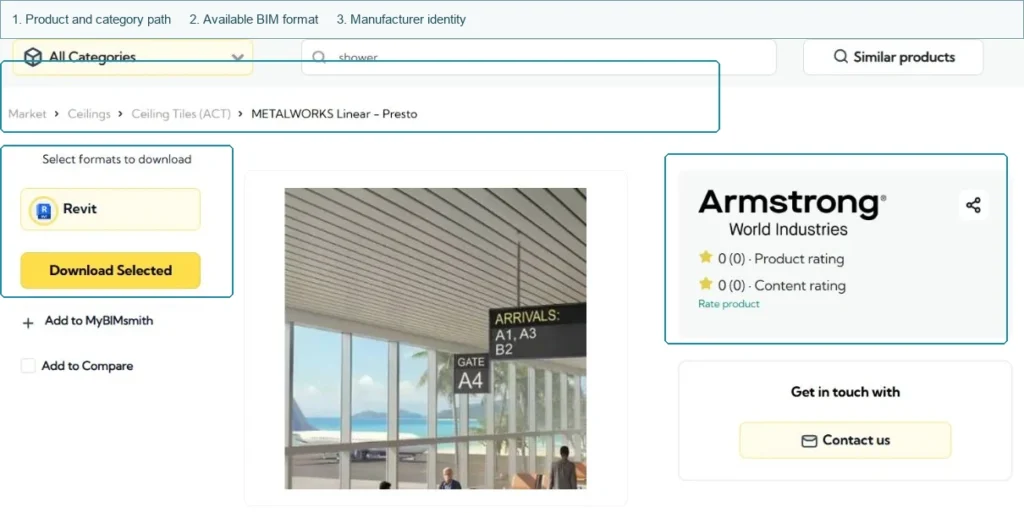
- Revit families;
- IFC objects;
- Archicad objects;
- other structured digital product objects.
Their main value is coordination.
A BIM object may help the project team understand:
- overall geometry;
- dimensions;
- clearances;
- product position;
- connection zones;
- spatial requirements;
- coordination with adjacent systems.
For example, a door system may need to coordinate with:
- wall thickness;
- structural opening;
- floor finish;
- ceiling height;
- access-control hardware.
A façade component may need to coordinate with:
- structure;
- slab edge;
- insulation;
- waterproofing;
- adjacent panels.
For procurement, this information can reveal problems before the order is placed.
However:
BIM supports coordination. It does not replace technical or compliance evidence.
A downloadable Revit family does not automatically prove:
- fire performance;
- current certification;
- code compliance;
- technical equivalence;
- product availability.
A well-built BIM object can still represent a product that is unsuitable for the project.
CAD Drawings: Use Them to Understand Interfaces and Installation
CAD information is often more valuable when the main project risk exists at an interface.
Typical files include:
- DWG details;
- DXF files;
- product drawings;
- installation details;
- PDF detail drawings.
Consider a waterproofing system.
The membrane itself may meet the specification, but installation can still fail at:
- floor drains;
- wall junctions;
- penetrations;
- door thresholds.
The same principle applies to other building products.
Façade
Relevant details might include:
- bracket-to-structure connection;
- panel joint;
- sill;
- head detail.
Doors
Relevant details might include:
- frame-to-wall interface;
- threshold;
- hardware preparation.
Bathroom Systems
Relevant details might include:
- glass-to-base interface;
- wall fixing;
- waterproofing junction.
CAD files therefore help procurement and technical teams ask:
What must already exist on site for this product to be installed correctly?
They can expose:
- dimensional conflicts;
- missing substrates;
- fixing requirements;
- coordination responsibilities;
- installation dependencies.
CAD details are especially valuable when procurement risk sits at the interface between two systems.
Technical Product Data: Use It for Product Comparison
For many procurement decisions, technical product data is the most important information category.
Once comparable fields are created, continue with the Technical Bid Evaluation Template when several products must be checked against project requirements.
Useful fields may include:
- Dimensions
- Material
- Finish
- Weight
- Performance
- Available Sizes
- Product Configuration
- Accessories
- Installation Requirements
- Product Options
Typical sources include:
- Current Manufacturer Product Page
- Technical Data Sheet
- Structured Product Database
The procurement objective should not be:
collect three product brochures.
It should be:
convert product information into comparable fields.
For example:
| Requirement | Candidate A | Candidate B |
|---|---|---|
| Width | 1200 mm | 1200 mm |
| Material | Aluminium | Aluminium |
| Finish | Powder Coated | Anodized |
| Performance | Listed | Listed |
| Installation Type | Match | Review |
This changes the information from marketing material into something procurement can actually use.
The workflow becomes:
Product Shortlisted
↓
Technical Data Collected
↓
Comparable Fields Created
↓
Technical Evaluation
↓
Candidate Selection
Technical product data is most useful when it can be converted into procurement comparison fields.
Specifications: Use Them to Map the Product Against Project Requirements
A technical data sheet and a specification are related, but they are not the same.
Technical Data
Primarily answers:
What is this product?
Specification
Helps answer:
How should this product be defined or evaluated against the project requirement?
Specification resources may include:
- Manufacturer Guide Specifications
- CSI Specifications
- NBS Specifications
- Product Specifications
- Installation Specifications
They can help procurement identify requirements such as:
- material type;
- performance level;
- finish;
- referenced standard;
- installation condition;
- accessories;
- required testing.
The useful comparison is:
Project Specification
versus
Proposed Product Information
A manufacturer's specification may make that comparison easier.
But it does not automatically prove:
this product satisfies the project specification.
That remains a technical evaluation task.
Compliance Documents: Keep Them Separate From Product Data
Product libraries often place compliance documents beside BIM and technical files.
When the task changes from product research to evidence verification, move into the Construction Product Certification for Procurement workflow.
Examples include:
- Certificates
- Test Reports
- EPDs
- Declarations
- Product Approvals
- Evaluation Reports
These documents serve another purpose.
Product Data
describes the product.
Compliance Evidence
supports a specific claim about the product.
For example:
A technical data sheet may state:
Fire-rated.
But the procurement or approval team may still need:
the relevant test report or certification evidence.
Similarly, an EPD may describe environmental performance, while a BIM object provides geometry.
They should not be treated as interchangeable evidence.
The fact that a certificate is downloadable from a product page does not remove the need to verify it when verification is required.
This is where procurement should move from general product resources into the appropriate certification, EPD, code-evaluation or approval database.
Digital Product File × Procurement Use Matrix
The easiest way to avoid document confusion is to define the purpose of each file.
| File Type | Main Procurement Use | Best Source | What It Does Not Prove |
|---|---|---|---|
| BIM Object | Design coordination and geometry | BIM library / manufacturer | Compliance or approval |
| CAD / Detail Drawing | Interface and installation review | Manufacturer / CAD library | Product certification |
| Technical Data Sheet | Product comparison | Manufacturer | Project acceptance |
| Product Specification | Requirement mapping | Manufacturer / specification library | Technical equivalence by itself |
| Installation Manual | Installation conditions and dependencies | Manufacturer | Supplier capability |
| Certificate / Test Report | Compliance evidence | Appropriate official / manufacturer source | Commercial suitability |
Procurement will often need several of these files together.
The mistake is using one file type as a substitute for another.
Where Should Procurement Download Each File?
The best source depends on what is being collected.
BIM / Revit / IFC
Useful starting points include:
- Manufacturer BIM Library
- BIM Product Platform
- Building Product Library
These are useful for digital objects and model coordination.
CAD / Installation Details
Prefer:
- Manufacturer Technical Library
- Product CAD Library
because the drawings often relate directly to the manufacturer's actual system.
Technical Product Data
For critical current information, prefer:
- current manufacturer product page;
- current technical data sheet.
Specifications
Use:
- manufacturer specification resources;
- structured specification platforms.
Compliance Evidence
A manufacturer page may help identify the document.
But when independent verification is required, move to the relevant official or authoritative database.
The wider principle is:
Use the source best suited to the information being confirmed.
What If the BIM Library and Manufacturer Website Show Different Data?
This happens.
For example:
BIM Object
Product width:
1200 mm
Current Technical Data Sheet
Product width:
1250 mm
Do not:
- average the values;
- choose whichever one fits the project;
- silently assume the BIM file is outdated.
Investigate the difference.
Possible causes include:
- old BIM object;
- revised product;
- regional model;
- generic digital object;
- different product variant;
- data-entry error.
For current technical confirmation, return to the appropriate current manufacturer information and clarify the discrepancy before using the data in procurement or material approval.
When digital product sources conflict, resolve the source difference rather than guessing the answer.
Digital Product Files Can Become Outdated
Digital files should not be treated as permanent static information.
Suppose the team downloaded:
Product-X-Revit-2023.rfa
but the current manufacturer page refers to:
Product X — Revision 2026
The product may still be the same.
But it is worth confirming whether:
- geometry changed;
- dimensions changed;
- product configuration changed;
- technical documents were revised;
- a newer BIM object exists.
The same issue applies to:
- old DWG details;
- archived brochures;
- previous technical data sheets;
- old specification files.
Digital product files should be treated as controlled product information, not permanent reference assets.
A Lightweight Material Submittal File Pack
Once a product is selected, its digital information can be grouped into four practical categories.
Use the Construction Material Submittal Checklist to decide which of these files are actually required for the project.
Design Files
Examples:
- BIM Object
- CAD Detail
Purpose:
Coordination and interfaces
Product Files
Examples:
- Technical Data Sheet
- Product Drawing
- Finish Information
- Material Information
Purpose:
Product identification and technical comparison
Specification Files
Examples:
- Product Specification
- Installation Specification
Purpose:
Requirement mapping
Compliance Files
Examples:
- Certificate
- Test Report
- Declaration
- EPD where required
Purpose:
Supporting evidence
The exact material submittal package will depend on the project.
The purpose of this structure is simply to show that:
a complete technical submission usually combines several information types rather than one “product PDF.”
What Procurement Does Not Need to Download
More documents do not automatically create a better procurement file.
If the current task is only budget pricing, procurement may not need a detailed Revit object.
If only one installation interface is being reviewed, downloading twenty CAD details may create more confusion than value.
Avoid collecting unnecessary:
- old brochures;
- duplicate drawings;
- unrelated BIM formats;
- generic marketing material;
- previous document revisions.
A useful rule is:
Collect files based on the next procurement task, not based on how many downloads are available.
That also makes document control easier later.
How Digital Product Information Moves Through Procurement
The information usually moves through a sequence like this:
The selected package should then move through the Construction Material Submittal Process and, where required, the Material Approval Request (MAR) for formal approval.
Product Shortlisted
↓
Technical Data
Confirm and compare the proposed product.
↓
BIM / CAD
Coordinate geometry and interfaces where required.
↓
Specification
Map the proposed product against project requirements.
↓
Compliance Evidence
Collect and verify supporting documents.
↓
Material Submittal
Package the relevant information.
↓
Technical Approval
↓
Procurement / Ordering
This is why BIM and product-data libraries sit between product discovery and material approval.
They are not the end of the procurement process.
They help move a candidate product toward a technically usable submission.
Where BIM and Product Data Libraries Fit in the Tool Stack
Useful construction procurement resource groups include:
BIM / CAD Libraries
For digital objects and drawings.
Building Product Databases
For discovering products and manufacturers.
Manufacturer Technical Libraries
For current product information.
Specification Resources
For technical requirement mapping.
Certification & Compliance Databases
For evidence verification.
Material Submittal Resources
For assembling approval information.
Build Procurement Hub organizes these resources according to the procurement task they support, helping buyers move from a shortlisted construction product to the digital information required for comparison, coordination and material approval.
Common Mistakes
Downloading a BIM Object and Assuming the Product Is Approved
BIM supports coordination, not approval.
Using CAD Drawings as the Main Product Specification
CAD shows geometry and interfaces; technical requirements may be documented elsewhere.
Comparing Products Using Marketing Brochures Only
Convert current technical data into comparable fields.
Treating a Manufacturer Specification as the Project Specification
Compare them separately.
Using Old Digital Files Without Checking Current Product Information
Resolve version differences before relying on the data.
Downloading Everything
Collect the information required for the next task.
Download the File Type Needed for the Next Procurement Decision
Use BIM for coordination, CAD for interfaces, technical data for product comparison, specifications for requirement mapping and compliance documents for evidence. Confirm current product information from the appropriate source and collect only the files needed for the next procurement or material-approval step.
FAQ
What is the difference between a BIM object and a CAD drawing?
A BIM object contains digital geometry and often structured product information for model coordination, while CAD drawings typically focus on geometry, details and construction interfaces.
Should procurement use BIM files for product approval?
BIM files can support coordination and submittal preparation, but they do not by themselves prove technical or regulatory compliance.
Where should procurement get the latest technical product data?
Critical current product information should be confirmed from the appropriate current manufacturer source, especially when third-party libraries show different values.
Which digital files are useful for a material submittal?
Depending on project requirements, a submission may include product data, technical drawings, specifications, BIM or CAD information where required, and applicable compliance evidence.
The core principle is:
Do not treat every downloadable product file as the same type of evidence. BIM objects, CAD drawings, technical data, specifications and compliance documents support different procurement tasks and should be collected from the source best suited to each purpose.
