Landed Cost Calculator for Building Material Imports: What Costs to Include
A supplier quotation does not tell you what the material will actually cost after import.
For example:
FOB Price:
Import-cost rule: compare suppliers only after every option has been converted to the same landed-cost endpoint and the same cost basis. Supplier price is only one input.
Supplier A
$28,000
Supplier B
FOB Price:
$30,500
At first glance, Supplier A is cheaper by:
$2,500
But once procurement adds:
- freight;
- insurance;
- customs duty;
- clearance;
- destination charges;
- final delivery;
the result may change completely.
That is why international procurement should compare:
Landed Cost
not only:
Supplier Price
For construction materials, a practical landed-cost calculation should answer one question:
What does this product actually cost when it reaches the same warehouse or project-site destination?
The basic workflow is:
Supplier Price
↓
Origin Costs
↓
International Freight
↓
Duty and Import Costs
↓
Destination Costs
↓
Total Landed Cost
↓
Unit Landed Cost
↓
Supplier / Import Route Comparison
First Define Where “Landed” Ends
Before calculating landed cost, define the endpoint.
Otherwise, two landed-cost figures may represent different things.
Common boundaries include:
Port Landed Cost
The goods have reached the destination port and the defined import costs have been included.
Local delivery may still be excluded.
Warehouse Landed Cost
The goods have cleared import procedures and reached the buyer's warehouse.
Project-Site Landed Cost
The materials have been delivered to the construction project.
For building-material procurement, warehouse or project-site landed cost is often the most useful comparison basis.
Why?
Because procurement may be comparing:
- an overseas factory;
- an overseas distributor;
- a local importer;
- a domestic supplier.
Their quotation bases can be completely different.
Two sourcing options should only be compared when the cost endpoint is the same.
What Costs Should Be Included in Landed Cost?
A practical landed-cost model can be divided into five cost layers.
1. Product Cost
This may include:
- Product Price
- Packaging
- Supplier Charges
- Special Export Packaging
2. Origin Logistics
Possible costs include:
- Factory Pickup
- Inland Trucking
- Export Handling
- Origin Terminal Charges
- CFS Charges
- Export Documentation
3. International Transport
Possible costs include:
- Ocean Freight
- Air Freight
- Rail Freight
- Insurance
- Known Freight Surcharges
4. Import Costs
Possible items include:
- Customs Duty
- Additional Tariffs
- Customs Brokerage
- Clearance Fees
- Import-related Government Charges
- Import VAT / GST where relevant to the cost model
5. Destination Logistics
Depending on the endpoint, this may include:
- Destination Terminal Charges
- Local Handling
- Local Trucking
- Warehouse Delivery
- Project-Site Delivery
- Unloading where applicable
The basic formula is:
Total Landed Cost = Product Cost + Origin Costs + International Freight + Import Costs + Destination Costs
But the important work is not the addition.
The important work is deciding:
Which costs are already included and which still need to be added?
Step 1: Start With the Correct Supplier Price Basis
Do not begin with the supplier price until you understand the Incoterm.
Examples include:
- EXW
- FCA
- FOB
- CIF
- DDP
Suppose:
Supplier A
FOB $28,000
Supplier B
EXW $26,500
Supplier B appears cheaper.
But under the EXW quotation, procurement may still need to pay for:
- factory pickup;
- inland transport;
- export clearance;
- origin handling.
The correct question is not:
Which supplier has the lower quotation?
It is:
What logistics and import costs remain outside each supplier's price?
Record:
- Supplier
- Incoterm
- Product Value
- Included Logistics
- Excluded Logistics
This creates the correct starting point.
Step 2: Add Origin Costs Without Double Counting
Origin logistics are especially easy to double count.
If the quotation is EXW, procurement may need to add:
- factory pickup;
- local trucking;
- export clearance;
- terminal handling.
If the quotation is FOB, some of those services may already sit inside the supplier's commercial scope.
The rule is simple:
Add only the costs that are outside the supplier price.
For every cost line, ask:
Already Included in Supplier Price?
YES
→ Do not add again.
NO
→ Add separately.
This one control can prevent a large number of landed-cost errors.
Step 3: Add the Confirmed Freight Cost
Do not use the cheapest freight headline rate.
Use the normalized logistics result from How to Compare Freight Quotes on an Apples-to-Apples Basis and confirm the selected quotation's Included / Excluded / Conditional / Unknown costs with the Freight Quote Hidden Charges Checklist before inserting freight into the landed-cost model.
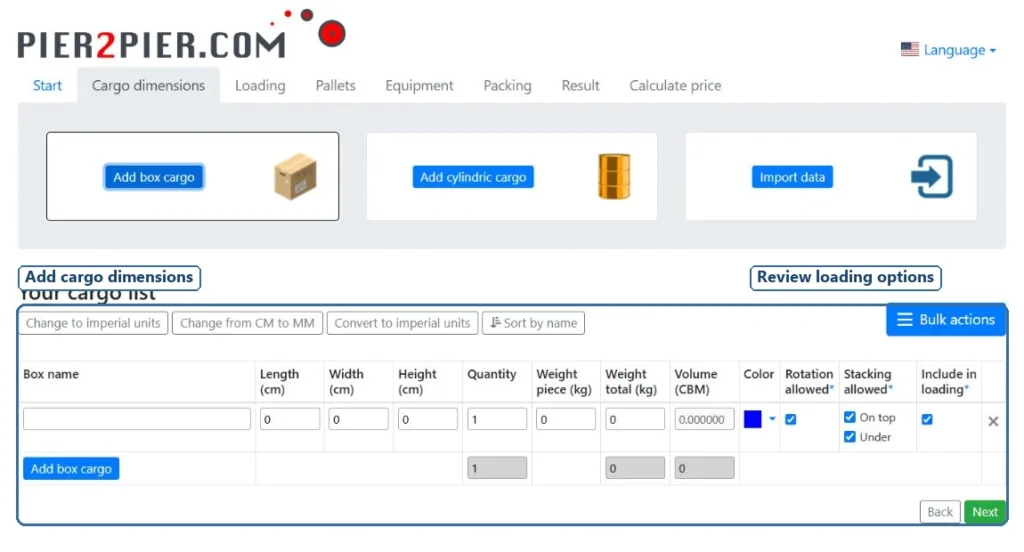
Use the freight number after the quotations have already been normalized and reviewed.
The freight input should reflect the same endpoint as the landed-cost calculation.
For example:
If calculating:
Warehouse Landed Cost
then the freight figure should include the confirmed logistics scope required to reach the warehouse.
If the freight quote stops at:
Destination Port
then local delivery still needs to be added separately.
A useful freight input may include:
- origin logistics not already included elsewhere;
- international freight;
- confirmed surcharges;
- destination logistics inside the chosen boundary.
The landed-cost model should consume the confirmed freight result rather than reopening the freight comparison from scratch.
Step 4: Add Insurance Where Relevant
Insurance may be:
- arranged by the supplier;
- arranged by the buyer;
- included in a CIF price;
- included in a freight package;
- purchased separately.
Record:
- Insurance Included?
- Insurance Cost
- Who Arranges It?
Again, avoid double counting.
If insurance is already included in the supplier's CIF quotation, do not add the same amount again as a separate landed-cost line.
Step 5: Add Customs Duty
Customs duty belongs in landed cost when it is payable.
Duty inputs should already come from HS / HTS Code Verification followed by Current Import Duty and Tariff Rate Lookup rather than being guessed inside the landed-cost sheet.
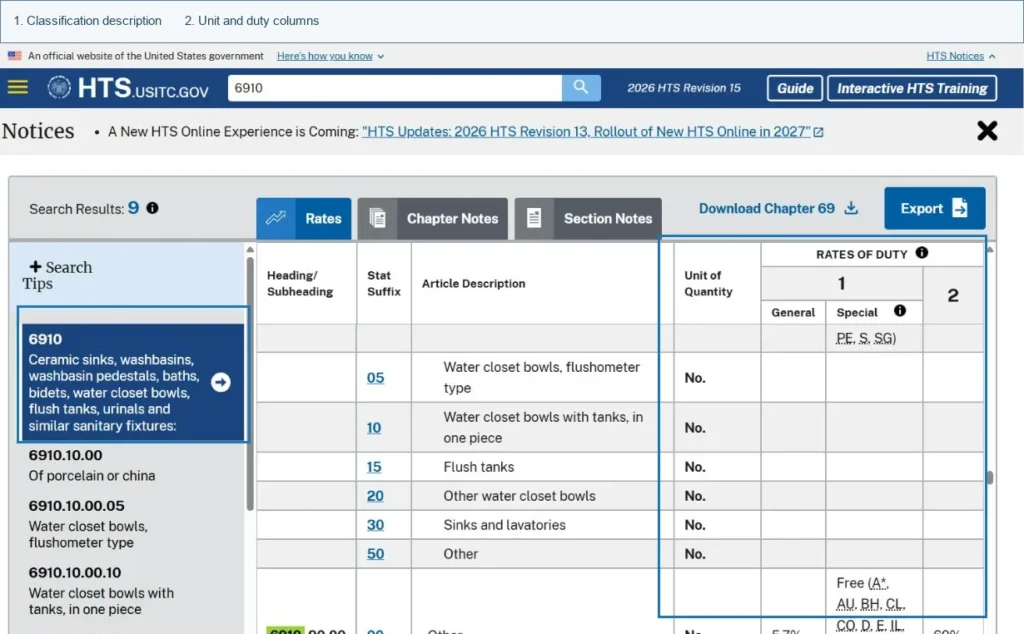
But this article should not recreate the tariff-classification process.
The required inputs should already have been checked:
- tariff code;
- country of origin;
- destination country;
- applicable duty treatment.
Then the landed-cost sheet should use:
Confirmed Duty Amount
or the correctly calculated amount based on the applicable customs rules.
Do not assume that one universal duty formula works for every import market.
Different customs systems may use different valuation rules.
The procurement workflow should therefore be:
Verify Classification
↓
Check Current Duty Treatment
↓
Calculate / Confirm Duty Amount
↓
Insert Result Into Landed Cost
Step 6: Add Import Taxes Carefully
Import VAT, GST or similar taxes may create another problem.
They can represent:
Cash Outflow
Money that must be paid during import.
But they may not always represent:
Permanent Procurement Cost
depending on whether the tax is recoverable.
A practical landed-cost sheet can therefore contain two fields:
| Item | Value |
|---|---|
| Import Tax Paid | $X |
| Recoverable? | Yes / No / Check |
This prevents cash-flow analysis and permanent cost analysis from being mixed together.
A recoverable tax can still affect cash flow even when it is not treated as a permanent product cost.
The correct accounting treatment should be confirmed locally where necessary.
Step 7: Add Brokerage and Clearance Fees
Do not confuse:
Customs Duty
with:
Customs Clearance Service
They are different.
Possible administrative costs include:
- Customs Broker Fee
- Import Entry Fee
- Clearance Service
- Documentation
- Permit or Licence Fees
These should appear as separate cost lines.
That makes the final landed-cost figure easier to audit.
Step 8: Add Destination and Final Delivery Costs
The final destination boundary determines what should be added.
For example:
Port Landed Cost
May stop before:
- local trucking;
- warehouse delivery;
- project delivery.
Warehouse Landed Cost
Should include the cost required to move the goods to the buyer's warehouse.
Project-Site Landed Cost
May also include:
- final-mile delivery;
- site trucking;
- unloading where part of procurement scope.
Possible destination items include:
- Destination Terminal Charges
- Local Handling
- Warehouse Charges
- Trucking
- Final Delivery
The endpoint defines the cost model.
Do not calculate one supplier to port and another supplier to project site.
Landed Cost Formula
A practical formula is:
Total Landed Cost
Product Cost
Origin Logistics
International Freight
Insurance
Customs Duty
Import / Clearance Fees
Destination Logistics
=
Total Landed Cost
Then calculate:
Unit Landed Cost
Total Landed Cost ÷ Relevant Quantity
That is often the number procurement needs for commercial comparison.
Building Material Landed Cost Template
Example:
| Cost Category | Amount |
|---|---|
| Product Cost | $28,000 |
| Packaging | $500 |
| Origin Charges | $600 |
| International Freight | $3,000 |
| Insurance | $150 |
| Customs Duty | $2,000 |
| Brokerage / Clearance | $250 |
| Destination Charges | $600 |
| Final Delivery | $500 |
| Total Landed Cost | $35,600 |
Quantity:
500 units
Therefore:
Unit Landed Cost = $35,600 ÷ 500 = $71.20
This is much more useful than simply recording:
Supplier Unit Price = $56
because procurement now understands the delivered cost.
Supplier Price vs Landed Cost
Consider two suppliers.
Once supplier offers are converted to one delivered-cost basis, use Construction Material Quotation Comparison and Construction Bid Leveling to combine landed cost with scope, lead time, payment terms and other commercial differences.
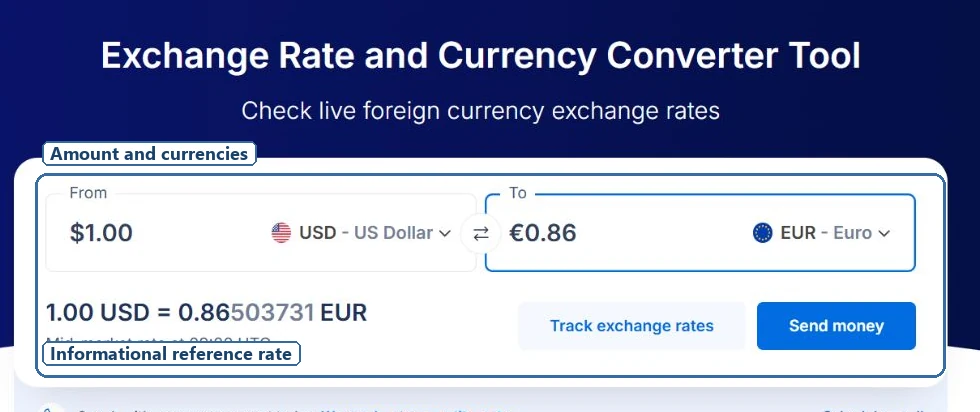
| Cost | Supplier A | Supplier B |
|---|---|---|
| Product Price | $28,000 | $30,500 |
| Freight | $4,200 | $2,300 |
| Duty | $2,100 | $1,200 |
| Destination Costs | $1,000 | $800 |
| Total Landed Cost | $35,300 | $34,800 |
At quotation stage:
Supplier A appears cheaper by $2,500.
After import-cost analysis:
Supplier B is cheaper by $500.
That completely changes the sourcing decision.
The lowest supplier quotation does not always create the lowest procurement cost.
Compare Landed Cost per Procurement Unit
Different building materials require different comparison units.
Possible examples:
Per Unit
Useful for:
- sanitary ware;
- doors;
- hardware;
- fittings.
Per Set
Useful for:
- shower enclosure systems;
- bathroom packages;
- hardware kits.
Per Square Metre
Useful for:
- tiles;
- flooring;
- glass;
- panels.
Per Ton
Useful for some bulk products.
The formula remains:
Total Landed Cost ÷ Relevant Procurement Quantity
Use the commercial unit that buyers actually use when comparing suppliers.
Use Usable Quantity Where It Matters
Sometimes total shipped quantity is not the most useful denominator.
Suppose:
500 units shipped
but:
10 units are damaged or unusable
Usable quantity:
490
If total landed cost is:
$35,600
then:
Cost per Shipped Unit
$35,600 ÷ 500
= $71.20
Cost per Usable Unit
$35,600 ÷ 490
= $72.65
For products with:
- breakage;
- wastage;
- quality rejection;
- predictable damage;
this can create a more realistic sourcing comparison.
Do not force this method onto every purchase.
Use it when loss materially affects cost.
Estimated vs Actual Landed Cost
A landed-cost calculation should not disappear after the PO is awarded.
Before purchasing, procurement normally uses:
Estimated Landed Cost
This supports:
- supplier comparison;
- budget approval;
- sourcing decisions.
After the import is complete, replace estimates with:
Actual Landed Cost
using final:
- freight invoices;
- duty payments;
- brokerage;
- destination charges;
- local delivery.
Example:
| Cost | Estimated | Actual | Variance |
|---|---|---|---|
| Freight | $3,000 | $3,180 | +$180 |
| Duty | $2,000 | $2,000 | $0 |
| Destination Charges | $600 | $850 | +$250 |
| Final Delivery | $500 | $520 | +$20 |
Formula:
Variance = Actual Cost − Estimated Cost
This creates better input data for future procurement.
Record the Variance Reason
Do not record only:
Destination Charges: +$250
Record why.
Possible variance reasons include:
- Freight Rate Changed
- Extra Storage
- Customs Inspection
- Destination Charge Omitted
- Incorrect Freight Assumption
- Quantity Changed
- Packaging Changed
- Additional Delivery Required
This converts landed cost from a one-time calculator into a procurement learning system.
After several imports, the buyer starts replacing assumptions with actual historical data.
That makes future supplier comparisons more reliable.
Use a Visible Contingency Instead of Hiding Risk
Some costs remain uncertain before shipment.
Instead of quietly inflating freight or product price, procurement can add:
Contingency / Risk Allowance
Possible reasons include:
- freight volatility;
- uncertain destination charges;
- minor customs-related risk.
Keep this amount visible.
For example:
| Cost | Amount |
|---|---|
| Confirmed Landed Cost | $35,600 |
| Contingency | $500 |
| Planning Cost | $36,100 |
This makes the commercial assumptions easier to review.
Do Not Double Count Incoterm Costs
Double counting can distort the result significantly.
Example:
Supplier quotation:
CIF Destination Port
may already contain:
- product;
- international freight;
- insurance.
If procurement adds:
- freight;
- insurance;
again, the landed cost becomes overstated.
For each line in the cost sheet, use a simple control:
| Cost | Already Included? | Add Again? |
|---|---|---|
| Product | Yes | No |
| International Freight | Yes | No |
| Insurance | Yes | No |
| Destination Delivery | No | Yes |
The same logic applies to other Incoterms.
Always identify what the supplier's quoted price already covers before adding another cost line.
Landed Cost Comparison Matrix
Once the calculation is complete, compare suppliers on one consistent basis.
| Metric | Supplier A | Supplier B | Supplier C |
|---|---|---|---|
| Product Price | $28,000 | $30,500 | $27,500 |
| Total Landed Cost | $35,300 | $34,800 | $36,100 |
| Unit Landed Cost | $70.60 | $69.60 | $72.20 |
| Delivery | 45 days | 35 days | 60 days |
| Procurement Risk | Medium | Low | High |
This prevents procurement from making a decision based on the first price in the supplier quotation.
But landed cost should not become the only supplier-selection criterion.
The final decision may also need to consider:
- quality;
- lead time;
- MOQ;
- payment terms;
- reliability;
- compliance;
- project risk.
Landed cost improves the commercial comparison. It does not replace supplier qualification.
Local Supplier vs Imported Supplier
Landed cost is especially useful when comparing imports against local sourcing.
Example:
Local Supplier
Delivered Unit Price:
$75
Overseas Supplier
FOB Unit Price:
$58
At first glance, overseas sourcing appears to save:
$17 per unit
But after adding:
- freight;
- duty;
- clearance;
- destination delivery;
the imported landed cost becomes:
$72 per unit
Real saving:
$3 per unit
Now procurement can ask a much better question:
Is saving $3 per unit worth the additional lead time, MOQ, import administration and supply risk?
That is a procurement decision.
Simply comparing:
$75 vs $58
is not.
Landed Cost Is Not Total Cost of Ownership
Keep these two concepts separate.
Landed Cost
Usually measures the cost of getting the product to a defined destination.
Total Cost of Ownership
May also include:
- installation;
- maintenance;
- failures;
- replacement;
- downtime;
- lifecycle costs.
For example, two imported hardware systems may have similar landed costs but very different maintenance requirements.
That belongs in a broader procurement evaluation.
Do not put every future lifecycle cost into a basic landed-cost calculator.
Common Landed Cost Calculation Mistakes
Comparing FOB Price With Local Delivered Price
Convert both to the same destination boundary.
Forgetting Destination Costs
The ocean or air freight line is not always the end of logistics cost.
Using an Unverified Duty Rate
Verify classification and tariff treatment before using the duty amount.
Double Counting Freight or Insurance
Check what the Incoterm already includes.
Mixing Recoverable Tax With Permanent Cost
Separate tax cash flow from permanent procurement cost where necessary.
Dividing by the Wrong Quantity
Use the procurement unit that supports the actual buying decision.
Ignoring Actual Cost After Import
Without variance tracking, the next landed-cost estimate starts from the same assumptions again.
Landed Cost Calculation Checklist
Before comparing suppliers, confirm:
- Landed-cost endpoint defined
- Supplier Incoterm confirmed
- Product price recorded
- Packaging included / excluded checked
- Origin logistics recorded
- Freight quote normalized
- Freight scope confirmed
- Insurance recorded
- Tariff classification verified
- Current duty treatment confirmed
- Duty amount recorded
- Additional tariffs recorded where applicable
- Import taxes recorded separately
- Brokerage / clearance recorded
- Destination charges recorded
- Final delivery recorded
- Duplicate costs checked
- Total landed cost calculated
- Unit landed cost calculated
- Supplier comparison updated
- Estimated vs actual variance tracked
Tools and Resources for Landed Cost Calculation
International building-material procurement teams may need several different resource types:
- Landed-Cost Calculators
- HS / HTS Tools
- Import-Duty Databases
- Freight Calculators
- Freight Quotation Platforms
- CBM Calculators
- Incoterms References
- Customs Resources
These tools solve different parts of the same workflow.
An HS-code tool helps determine classification.
A tariff database helps verify duty treatment.
A freight platform helps estimate logistics cost.
A landed-cost sheet brings those inputs together.
Build Procurement Hub organizes these resources around the import procurement workflow so buyers can move from supplier quotation to a realistic delivered-cost comparison instead of evaluating supplier prices in isolation.
Full Import Procurement Workflow
A complete import-cost workflow can look like this:
Supplier Quote
↓
Verify HS / HTS Code
↓
Check Current Import Duty
↓
Request and Normalize Freight Quotes
↓
Confirm Included / Excluded Freight Costs
↓
Calculate Total Landed Cost
↓
Calculate Unit Landed Cost
↓
Compare Suppliers / Import Routes
↓
Make Purchase Decision
↓
Import Completed
↓
Replace Estimates With Actual Costs
↓
Use Variance Data for the Next Procurement
The key principle is simple:
The number procurement should compare is not the supplier's quoted unit price. It is the cost of getting a usable product to the same destination point on the same cost basis.
Compare Delivered Cost — Not Just Supplier Price
Define the same landed-cost endpoint, remove duplicated Incoterm costs, use confirmed freight and duty inputs, calculate total and unit landed cost, then compare suppliers or import routes on one consistent basis.
FAQ
What costs should be included in landed cost?
Landed cost normally includes the product cost plus the origin logistics, international freight, insurance, customs duty, clearance and destination costs required to bring the product to the defined endpoint.
How do you calculate landed cost per unit?
Divide total landed cost by the relevant procurement quantity, such as units, sets, square metres or tonnes.
Is customs duty included in landed cost?
Yes, where customs duty is payable, it is normally included in the landed-cost calculation. The applicable duty should first be determined using the correct tariff classification and current import treatment.
Is landed cost the same as total cost of ownership?
No. Landed cost normally ends when the goods reach the defined destination. Total cost of ownership may also include installation, maintenance, replacement and lifecycle costs.
